Direct Manipulation
Edit the real UI in the browser, then write changes back to source.
Every visual tweak in vibe coding meant going back to chat to describe something I could already see. I built the missing layer: click any element on localhost, edit it like Figma, and persist the change to your CSS and JSX.
Product
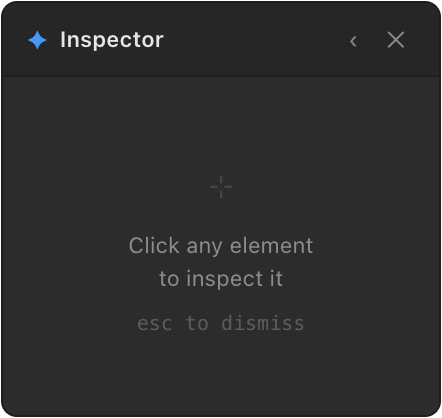
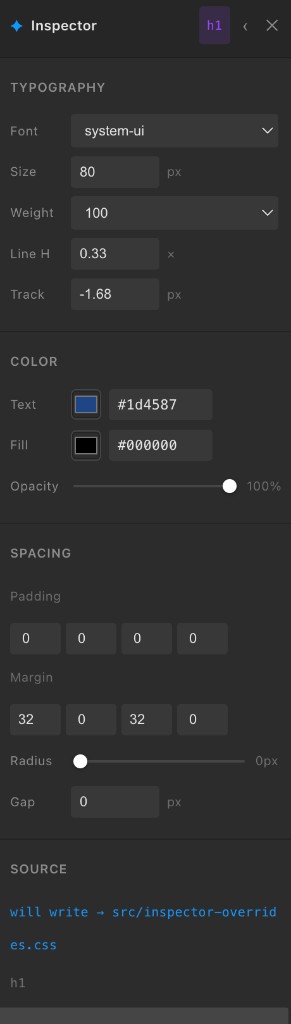
Click any element on your running dev site and a Figma-style properties panel appears: typography, color, spacing, radius, opacity, content.
Style changes apply instantly via injected CSS rules. When you stop dragging, they debounce and write to inspector-overrides.css with !important so they survive the cascade. Text edits write directly to the matching JSX or TSX file. Vite’s HMR picks up the diff automatically.
An MCP server exposes the same writeback layer to Claude and Cursor. Whether the change comes from a slider or a chat message, it lands in the same place.

Process
Situation
Every time I vibe coded with Claude or Cursor, the same friction showed up. The code came together fast. The refining didn’t. I kept going back to chat to describe things I could already see: “make that bigger,” “that blue is too dark,” “more padding.” Figma solved this for design files. Nothing solved it for the running site.
Task
Build a tool that lets you click any element on localhost, edit it like Figma, and write the change back to source. Zero friction. Works with Claude and Cursor.
Action
Three things had to work together: an overlay UI in the browser, a file-writer that persisted changes, and an MCP layer so AI could do the same thing from chat.
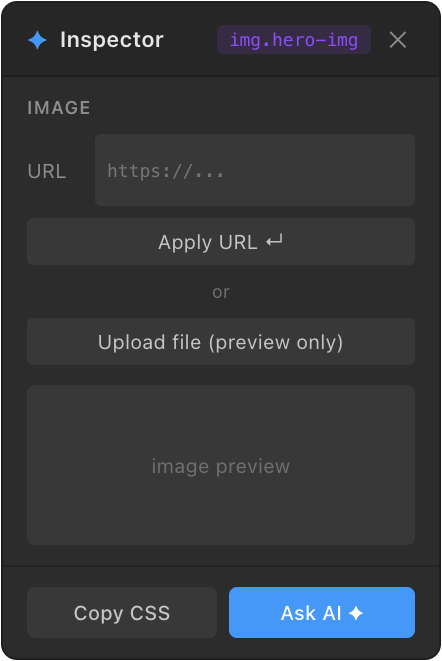
The panel mirrors Figma’s property panel across Typography, Color, Spacing, Content, and Image. Every design decision was forced by a constraint. System fonts only, because web fonts silently fall back. !important on every CSS rule, because without it the cascade wins. “Ask AI” as a real <a> tag, not a button, because Chrome blocks programmatic clicks on custom URL schemes.
The file-writer runs alongside the dev server over WebSocket. CSS writes to a single overrides file. Text changes search JSX and replace in place so Vite’s HMR picks up the diff. A 600ms debounce keeps the live preview instant while the file writes stay clean.
The MCP exposes three tools: apply_style, apply_styles_batch, and get_css_files. Claude Desktop and Cursor both connect to it. Same writeback path, whether the change came from a slider or a chat message.
Design decisions
The panel is dark and compact on purpose. It has to sit next to the site without competing with it. Every control either persists, like CSS writeback and JSX text replacement, or is explicitly preview-only, like local image upload. That distinction is surfaced in the UI so you always know what survives a refresh.
“Ask AI” is a real <a> tag, not a button. Chrome blocks programmatic clicks on custom URL schemes. Making it a genuine anchor the user clicks was the only reliable way to open Claude Desktop with the prompt pre-filled.
System fonts only in the font picker. Web fonts need a @font-face or <link> in the project to load. Offering Inter or Geist and watching them silently fall back felt dishonest.
Result
A working tool that persists typography, color, spacing, text, and image changes to real source files. Tested on a live Next.js e-commerce site and a Vite + React project. Ships as a Vite plugin and a Next.js component. One line to install either way.
The Tailwind mapper is built. Class swapping is next, which is what makes this real for most vibe-coded sites. After that: React prop editing and multi-element selection.
What’s next
Component-aware editing for prop-level changes. Tailwind class swapping for AI-generated code. A shareable inspector session for async design review. The core bet stays the same: shorten the distance between seeing a problem in the UI and shipping the fix.
View source on GitHub →